Piano technicians
Less time on the phone and more on the pianos: nothing to tap, no measuring run, every client’s piano saved with its curve and photo, and the pitch raise worked out for you.
Choosing an app? See how the piano tuning apps compare.
Strobe tuner for piano technicians and pianists
Nothing to tap between notes and no measuring run before you start. Strike a key and Agraffe reads it against a stretch curve built from that piano’s own strings.
How it works
One hand stays on the hammer, the other on the mutes. The phone sits on the desk and answers when you look.
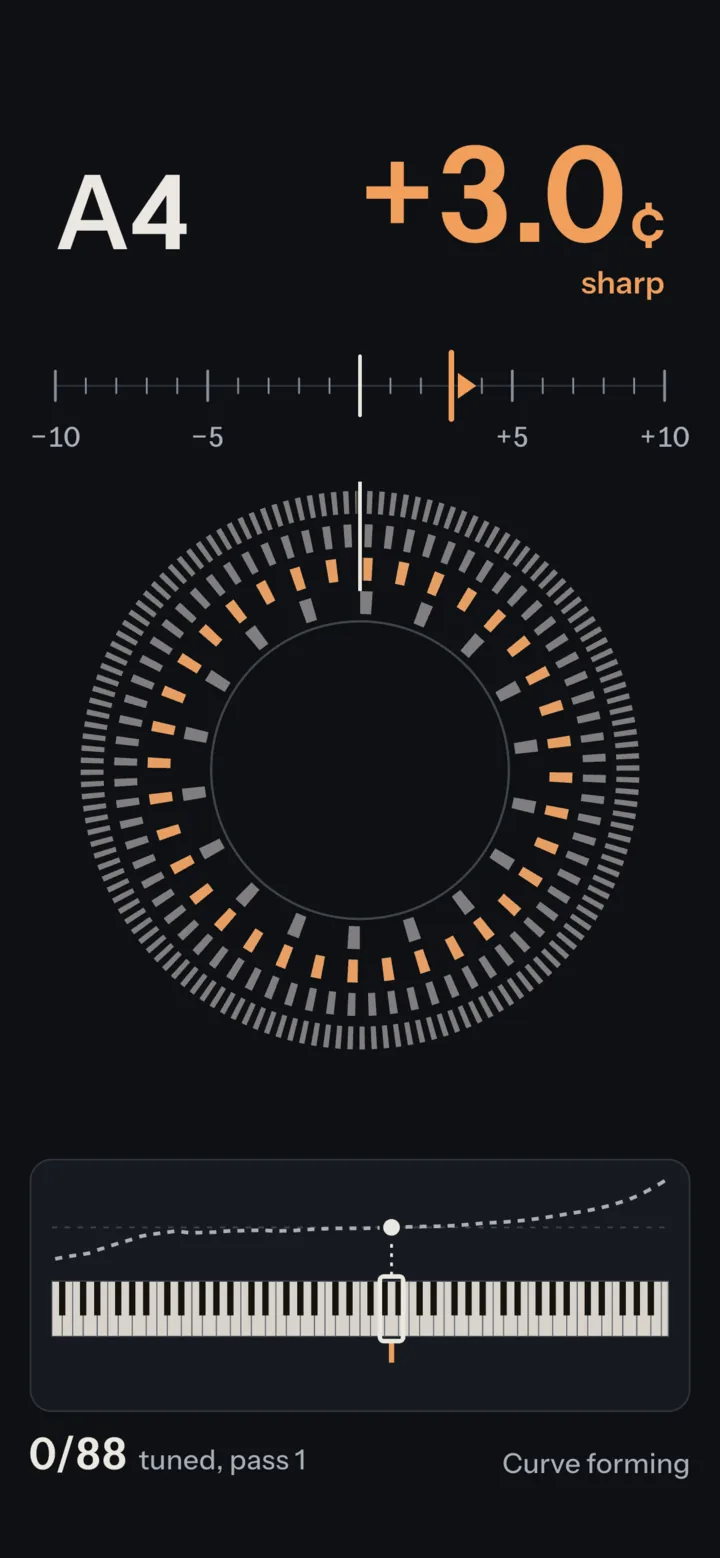
No setup and no measuring run: open the app, strike any key and the reading is there.

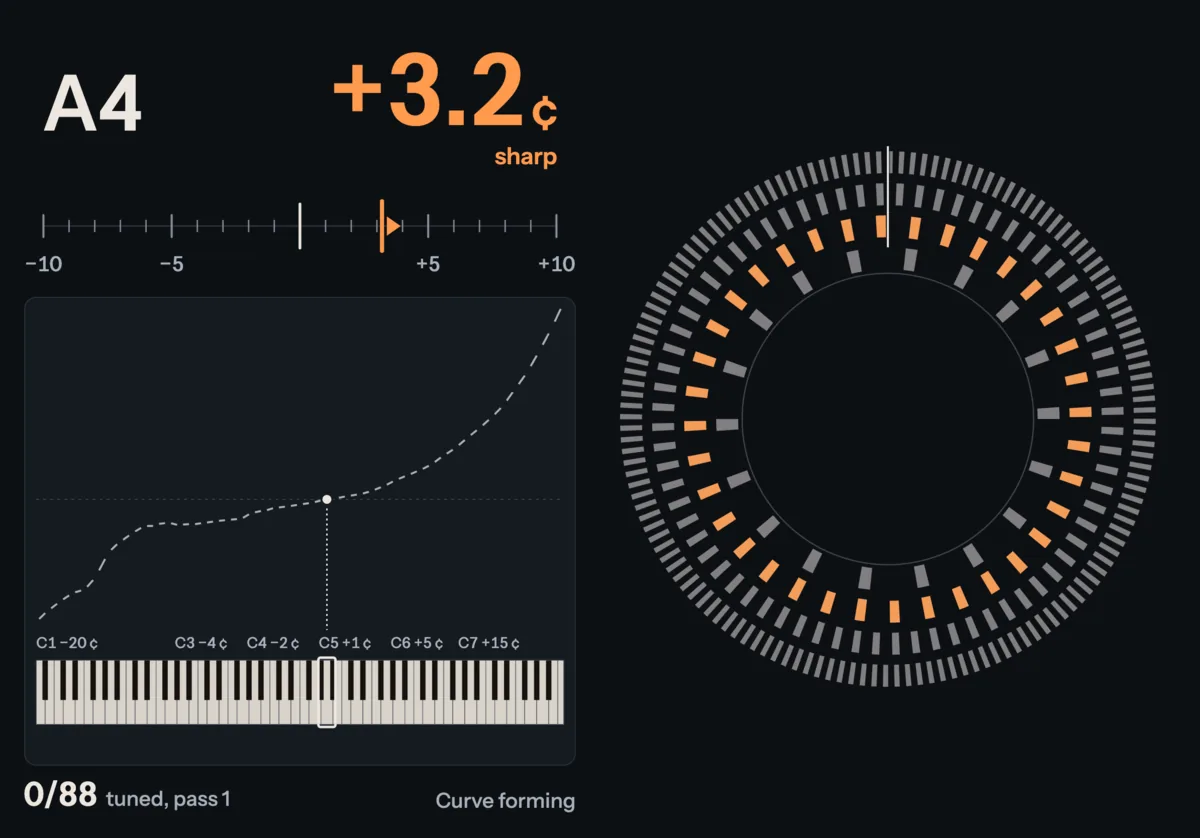
Nothing to tap between notes. The screen follows each key you strike: amber and clockwise when sharp, cobalt and counterclockwise when flat.
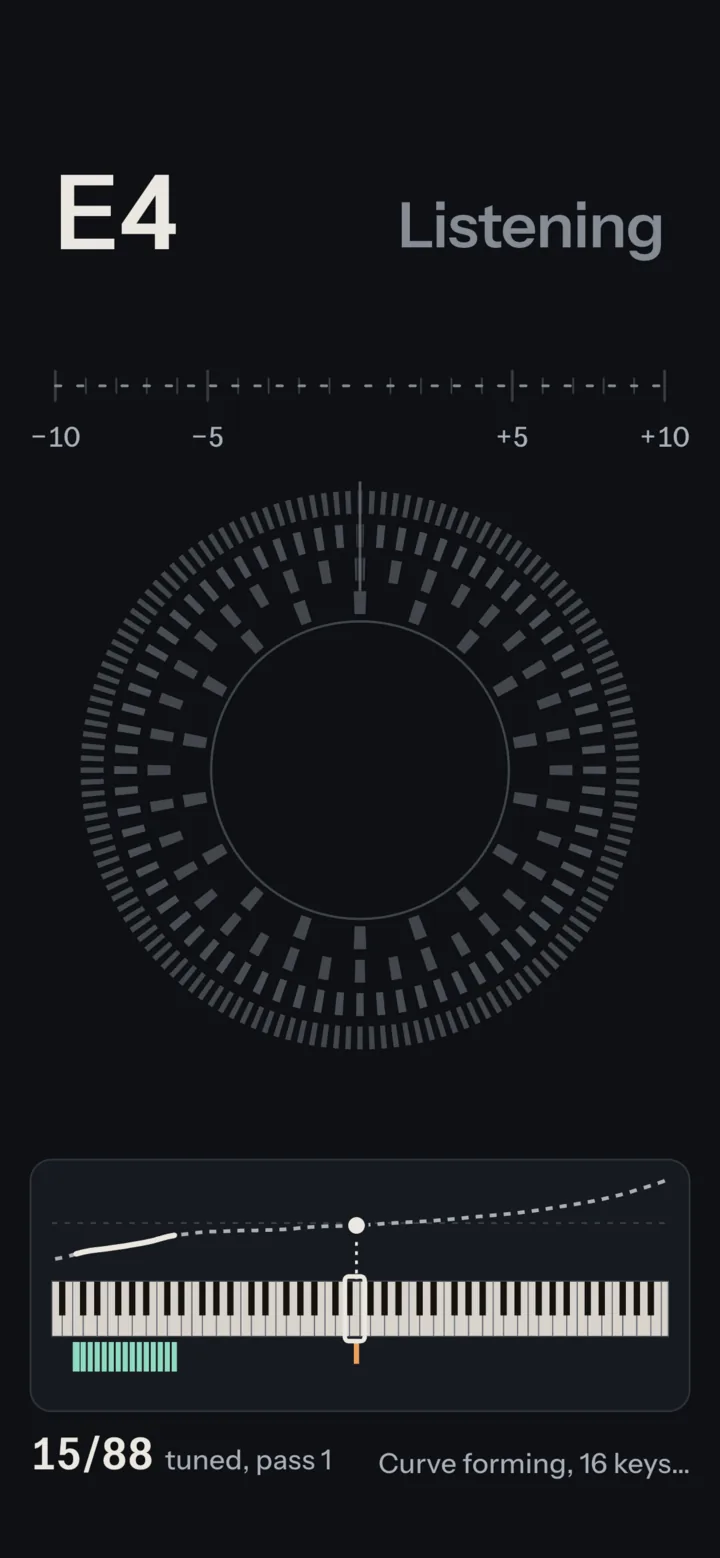
From the first few keys it measures how this piano’s strings stretch and fits a target for all 88. The dashed curve turns solid as it settles.
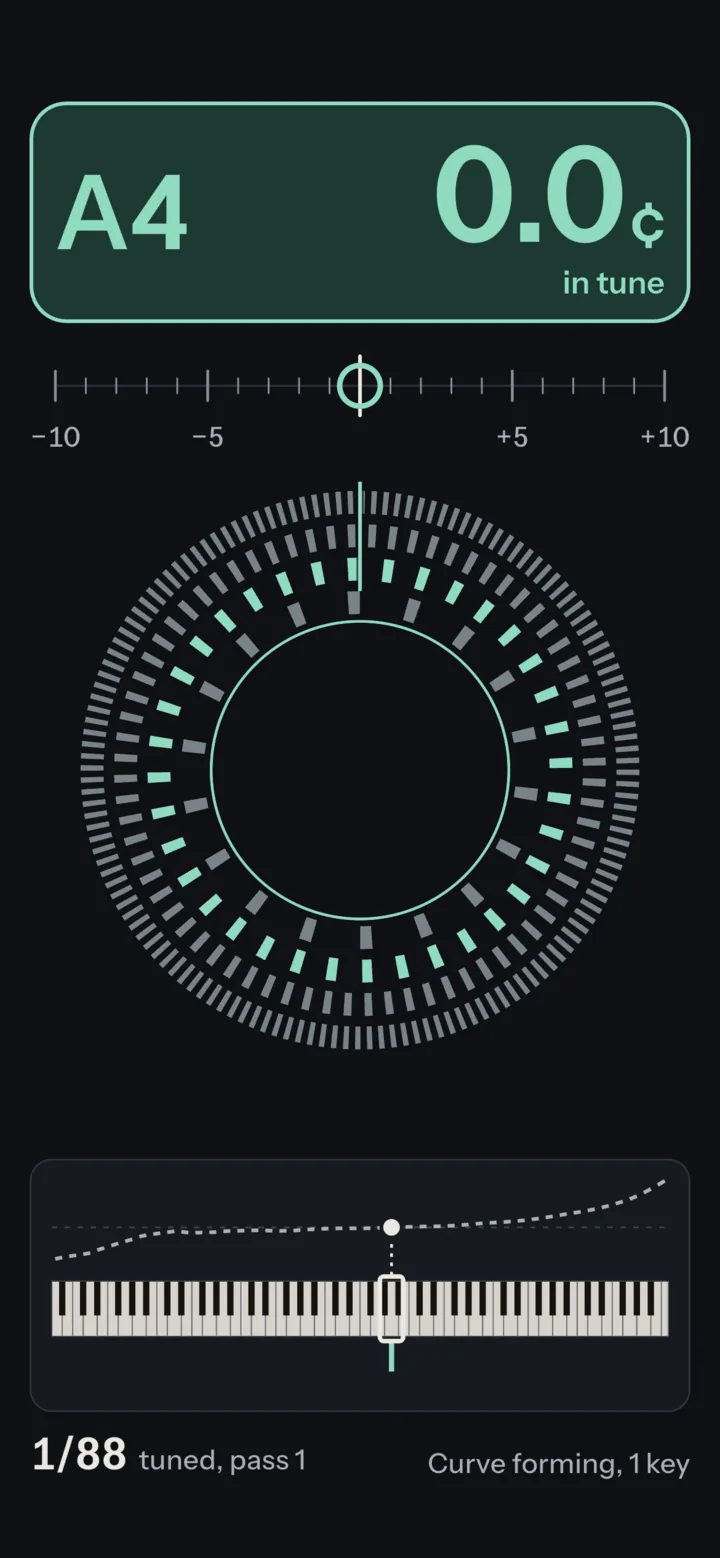
In tune is unmistakable from the bench: the block fills, a ring closes on the center line and the strobe stands still.
Read it from the bench
Flat, sharp and in tune differ by position, shape and motion before color, so the screen reads at arm’s length, from the side, through sunglasses and for color-blind eyes. Never red against green.
A stretch curve for each piano
Targets come from this piano’s own strings, not a table, and there’s no measuring run before you start. Play a few middle keys and Agraffe measures their inharmonicity and fits a target for every key; bass and treble firm it up as you work.
It balances the stretch the way an aural tuner balances octaves. Save the piano and the next visit starts on its curve.
Tune in any order
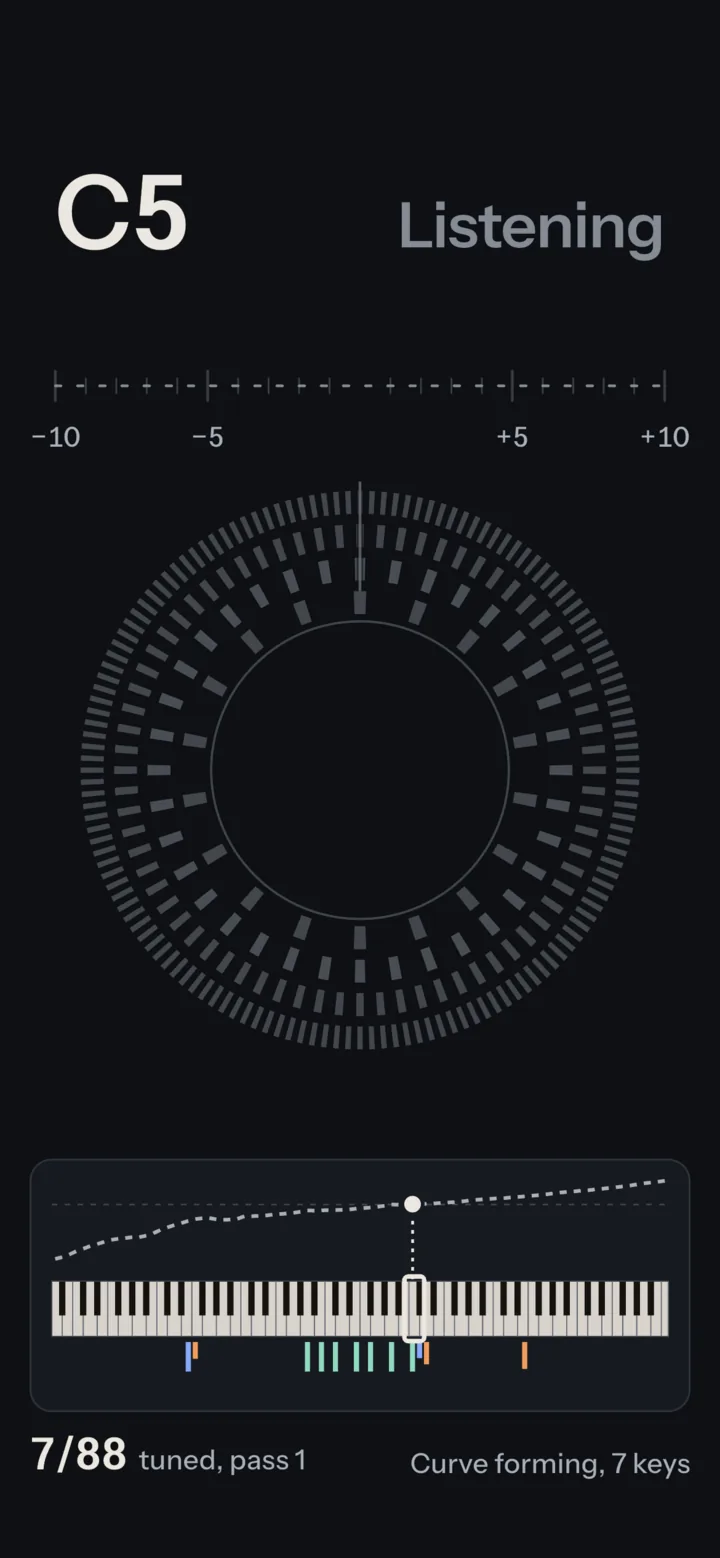
Start in the temperament octave or wherever you like. A key’s target holds while you work on it, and if the curve moves after a key is tuned, that key is marked to recheck, so the touch-ups at the end are listed for you.
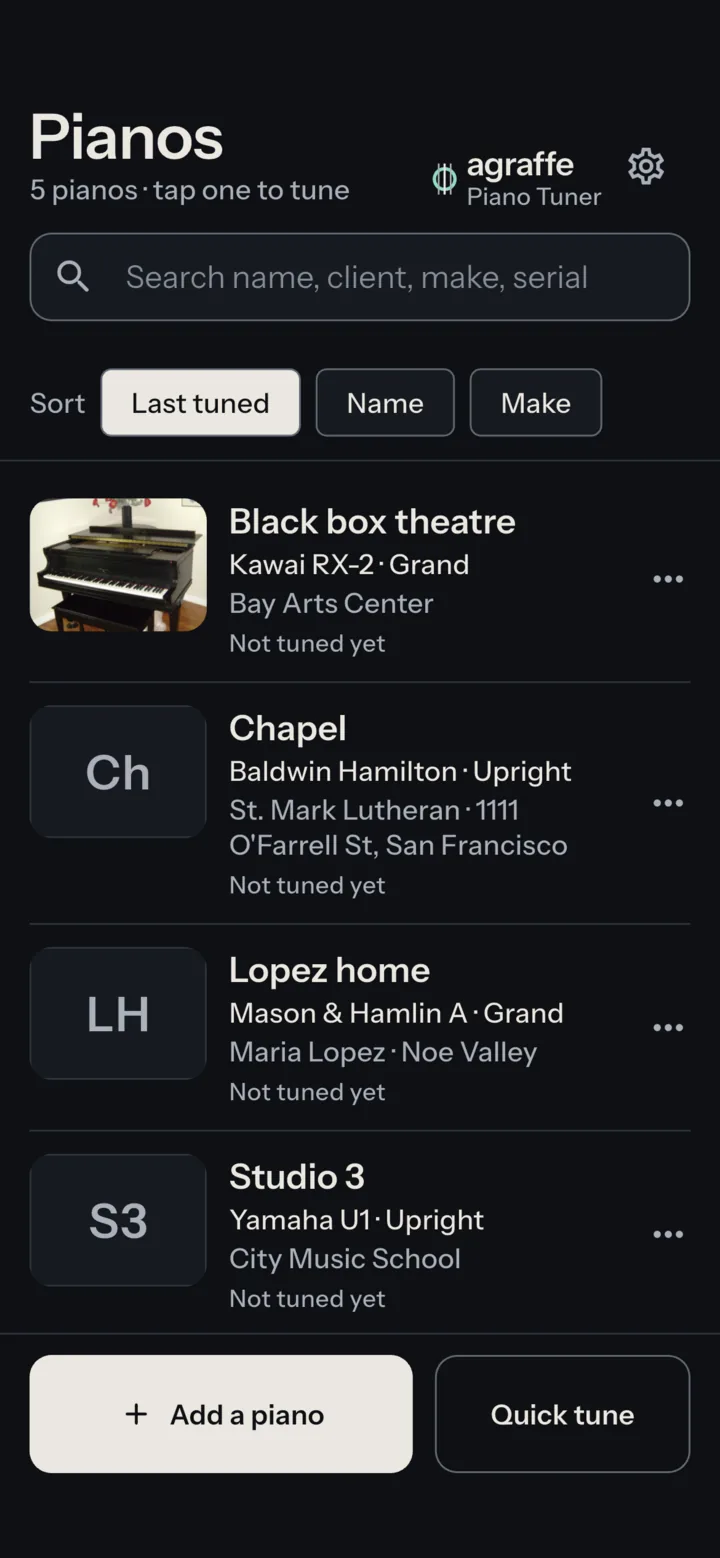
Every client’s piano saved
Open the piano and its curve, A4 and notes are already there. Each one keeps its client, room, make, model, serial and the history of every visit, with a photo so you spot it in the list.
iPad and Android tablets
In landscape the readout, scale and curve sit left and a large strobe right, so the reading is as clear on the desk as a phone is in the hand.
For technicians
A calm tool for a full day of tunings: no alarms, no celebrations and no sound at all, so the piano and your ear lead.
0.1¢
Readout resolution
One decimal inside ±10 ¢, where tenths matter
88keys
On this piano’s curve
Fitted to its measured inharmonicity, not a table
415–466Hz
A4, set per piano
A piano kept at 442 stays at 442
0bytes sent
Works offline
No account, no network; the sound stays on the phone
Who it’s for
Less time on the phone and more on the pianos: nothing to tap, no measuring run, every client’s piano saved with its curve and photo, and the pitch raise worked out for you.
Choosing an app? See how the piano tuning apps compare.
Check your instrument before a concert or a session and touch up a unison between the technician’s visits, at the A4 your ensemble uses, from 415 to 466 Hz.
New to tuning
The screen says which way each string needs to go and shows plainly when it’s right, with no jargon in the way. A short guide, in the app and on this site, walks you through your first tuning.
Be honest with yourself about the hard parts: turning the pin in small, steady moves, setting it so it stays, and pulling a piano that has dropped a long way up to pitch all take practice. Start with how to tune a piano, thenthe app’s guide.
Pianos, notes and photos stay on your device, where we never see them, and the sound is analyzed as you play, never recorded or sent. The app has no account, no analytics, no tracking and no advertising.

Coming soon to the App Store and Google Play. Free, with no account. Leave your address for one email when it’s out.
Questions before then? Support is open, or write to justin@mew.io.